For a long time I didn’t have to think carefully about AI model access. Working at GitHub meant unlimited GitHub Copilot, which in turn meant frontier models across the board (Claude Opus, GPT Codex, Gemini Plus, all covered). When that ended, what I got instead was awareness: of monthly premium request quotas, of token-based pricing, of the fact that different vendors bill in fundamentally different ways and that this changes how you should use them.
It’s only in the last three months that I’ve seriously explored what’s beyond the Copilot world, and the setup I’ve landed on is the best I’ve had.
This post is in two parts. The first is how I actually write code with AI: the tools, the models, the workflow. The second is the infrastructure that lets me do it from anywhere: Mac, iPad, iPhone, and how I keep them in sync. They’re almost entirely independent problems, so I’ll tackle them separately.
How I Actually Code
OpenCode
The primary interface is OpenCode, a terminal-based AI coding tool with a native TUI and an optional web UI. I’ll come back to the web UI in Part 2; it’s what makes the remote setup work. For now: this is where I spend the majority of my coding time.
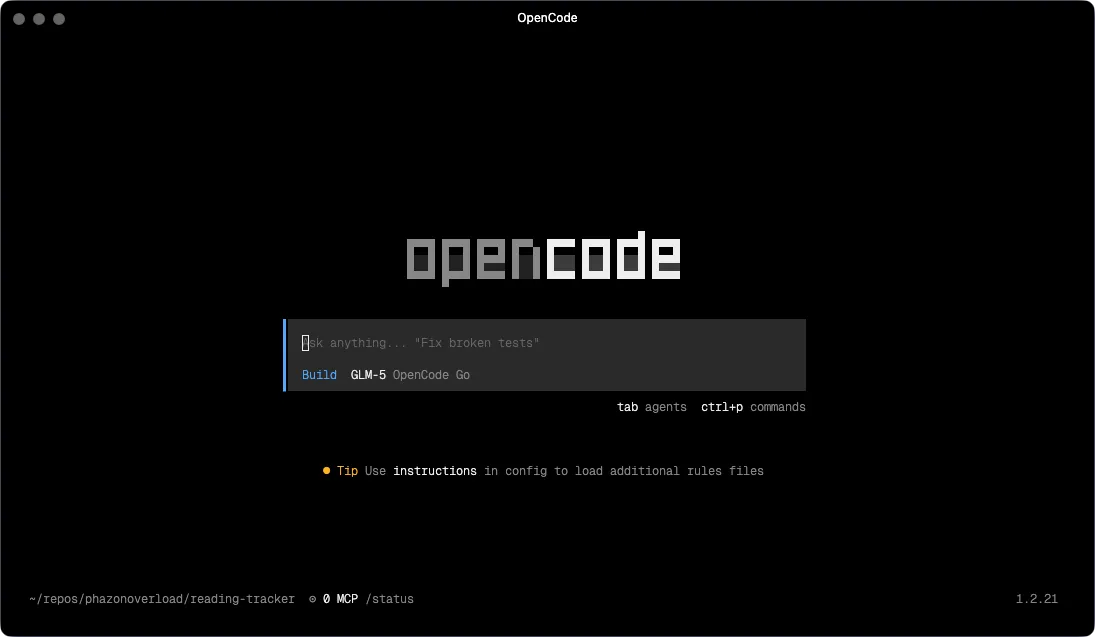
When I left GitHub I started looking for alternatives. Copilot CLI was the obvious first stop since I was already familiar with the Copilot ecosystem. I also tried Claude Code, which is powerful and the model quality shows, but, like Copilot, the interface didn’t click for me.
OpenCode was the one that stuck. Part of it is the interface: it has a proper native Terminal User Interface (TUI) where file diffs are readable, tool calls are presented clearly, and there’s genuine structure to what’s happening on screen. It’s the difference between watching output scroll past and being able to see the state of a session. But the bigger draw ended up being the model flexibility. OpenCode supports 75+ providers, and alongside the Copilot base model (currently GPT-5-mini, with unlimited usage) there are genuinely good free and cheap models available that mean I rarely burn through premium requests for routine tasks. I’ll get into that more in the model selection section.
OpenCode also officially partnered with GitHub in early 2026, so Copilot subscribers can authenticate directly and use all models provided.
Superpowers
This is the part of my setup that took the longest to figure out, and the part that most AI coding setups don’t address at all.
Superpowers is an open-source project by Jesse Vincent that installs a set of structured coding workflows (called skills) into your coding agent. The core idea is that “build this feature” is not one task. It’s a sequence of distinct phases that require different approaches: understand the problem, design a solution, plan the implementation, write the code, review it, debug it, ship it. Doing all of those in a single unstructured prompt is how you get an AI that confidently goes in the wrong direction for 20 minutes.
What makes Superpowers different from “here’s a system prompt with instructions” is that it’s structural rather than advisory. The skills trigger automatically based on what you’re doing. Start describing something you want to build, and the brainstorming skill kicks in before the model writes a single line of code. It doesn’t ask “what do you want me to do?” Instead, it runs a collaborative process, asks clarifying questions, explores alternatives, and works through the design with you until you have something concrete to sign off on. Only then does it move forward.
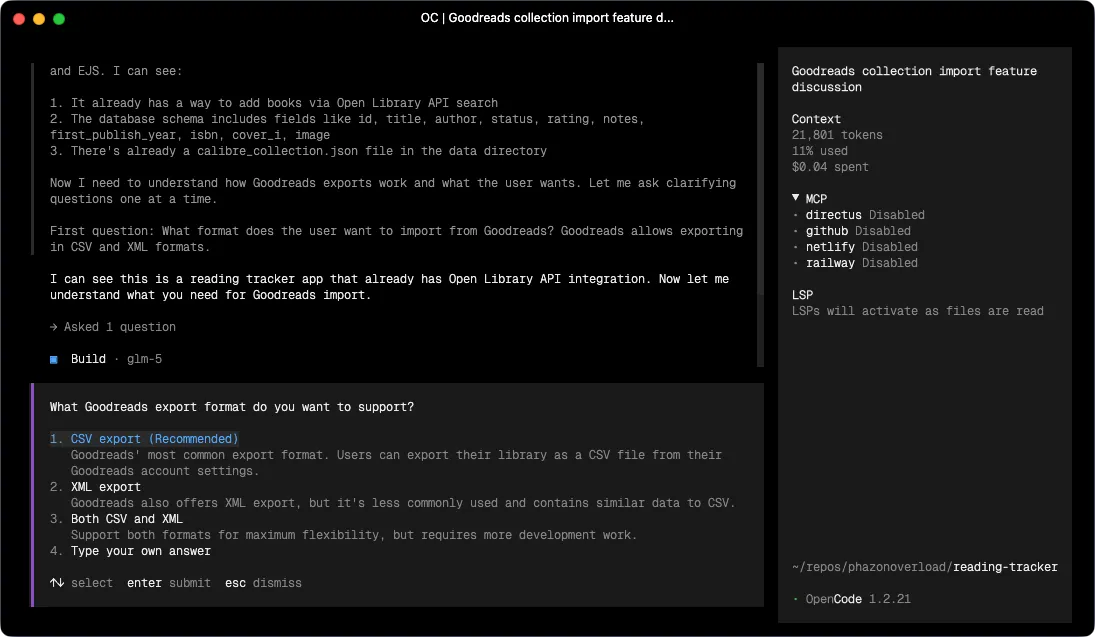
That distinction matters. Most AI coding tools will write code the moment you give them a description. Superpowers intercepts that impulse and makes you think through the design first. The quality of what comes out the other side is noticeably better, because the model is implementing something coherent rather than filling in what it assumed you meant.
After brainstorming signs off on a design, the workflow continues automatically:
- using-git-worktrees — spins up an isolated branch and workspace so the work doesn’t pollute your main branch
- writing-plans — breaks the approved design into short tasks, each with exact file paths, complete code expectations, and verification steps. The goal is a plan specific enough that an agent with no project context can follow it
- subagent-driven-development — dispatches a fresh subagent per task with a two-stage review (spec compliance first, then code quality), or executing-plans if you prefer sequential execution with human checkpoints
- test-driven-development — enforces strict RED-GREEN-REFACTOR: write the failing test, watch it fail, write the minimum code to pass, watch it pass, commit. Code written before tests gets deleted
- requesting-code-review / receiving-code-review — reviews against the plan and flags issues by severity before moving on
- systematic-debugging — when something breaks, runs a structured 4-phase root cause process rather than guessing
- finishing-a-development-branch — verifies tests pass, presents merge/PR/discard options, cleans up the worktree
The phrase on the Superpowers README that stuck with me is: “mandatory workflows, not suggestions.” The skills aren’t there for you to invoke when you remember. They’re wired into the agent’s behavior. You just work, and the structure is maintained around you.
Model Selection
Once I started paying attention to billing models, I had to think more carefully about what different tasks actually need.
The principle I keep coming back to: reasoning costs money, execution doesn’t have to. Brainstorming is genuinely hard. The model needs to generate and evaluate options, push back on bad ideas, notice what you haven’t thought about. Debugging requires forming and testing hypotheses. Planning requires coherent structured output over a lot of context. These are tasks where the gap between a frontier model and a cheaper one is real and visible.
But executing an already-written plan? That’s pattern matching and code generation. When Superpowers has done the brainstorming and produced a step-by-step implementation plan with exact file paths, the execution step is almost mechanical. A cheaper model handles it fine. Same for git housekeeping, parallel subagent coordination, and verification passes.
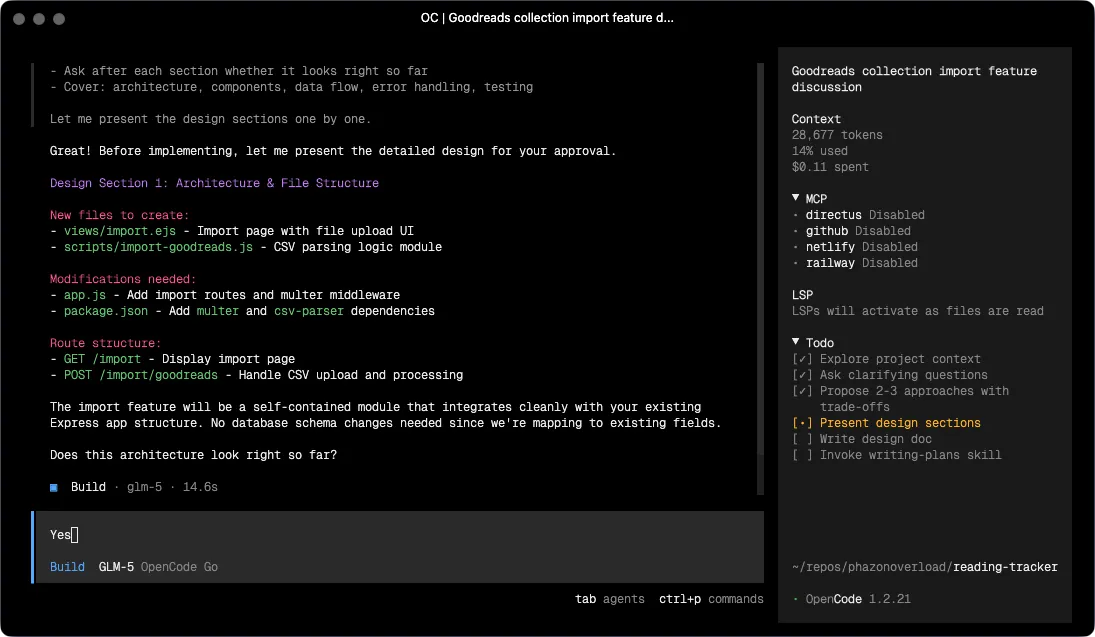
So the config assigns models by task type, using Superpowers’ per-agent model configuration:
Frontier models (via GitHub Copilot):
github-copilot/claude-sonnet-4.6-> brainstorming, systematic-debugging. Both require genuine reasoning.github-copilot/gpt-5.3-codex-> writing-plans, requesting-code-review, writing-skills. Planning benefits from strong structured output; code review benefits from a different model’s perspective than whatever wrote the code.
Cheaper models (via the OpenCode Go provider):
opencode-go/glm-5-> default model, plus executing-plans, receiving-code-review, test-driven-development. When the plan is already written, this is the right call.opencode-go/mini-max-m2.5-> subagent-driven-development, verification-before-completion, finishing-a-development-branch, using-git-worktrees, dispatching-parallel-agents. Logistics and coordination tasks.
The default model for any session that doesn’t map to a specific Superpowers agent is opencode-go/glm-5, which means Copilot tokens are only spent when a specific agent needs them. Before I thought about this explicitly, I was using a frontier model for everything, including the parts that don’t need it. The billing difference on a heavy coding day is meaningful.
The whole thing runs me about $10/month on Copilot and $10/month on OpenCode Go. Copilot also includes unlimited use of the base model (GPT-5-mini), so there’s a solid fallback for lightweight tasks that don’t need anything more.
MCP Servers
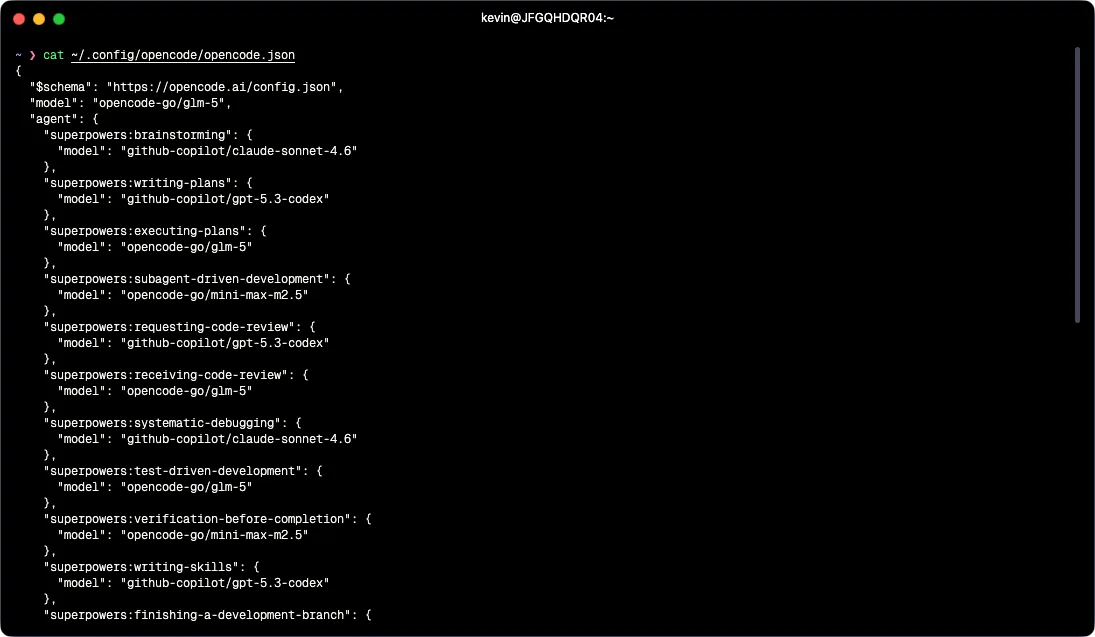
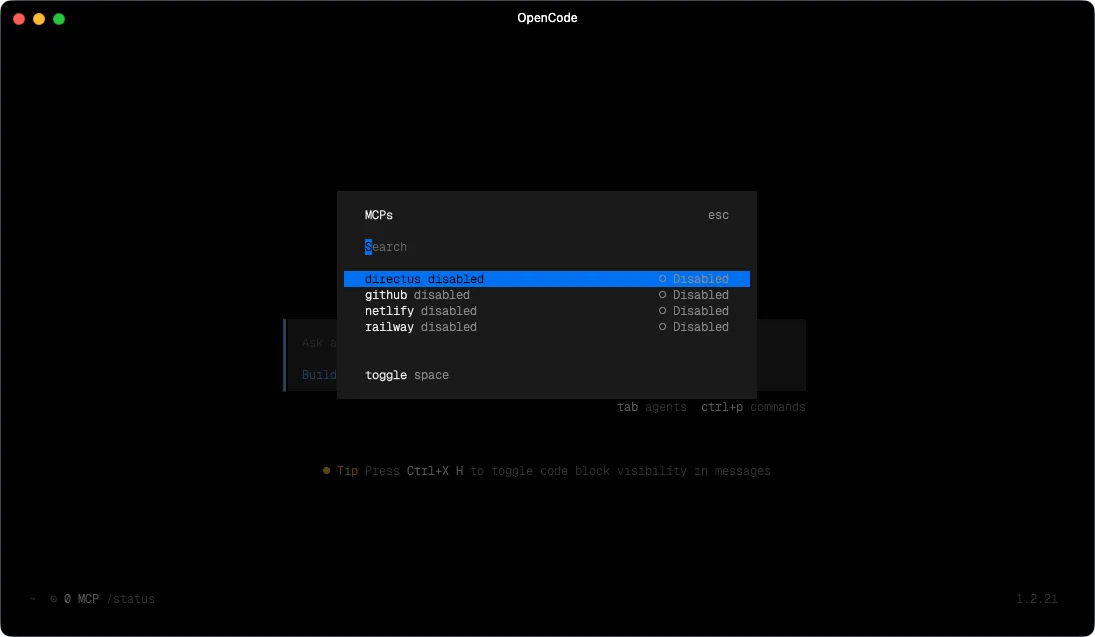
All four MCP servers in my config are enabled: false by default. This is deliberate: every loaded MCP server is a set of tools the model can call, which adds latency and token overhead to every interaction regardless of whether those tools are relevant. No point having the Netlify MCP loaded when I’m doing something that has nothing to do with deployments.
The four I have configured:
- Netlify - most of what I build is deployed on Netlify. When I need the model to interact with deployments, environment variables, or build logs, I turn this on.
- Railway - backend infrastructure lives on Railway. I enable this when I need to manage services or inspect what’s running.
- Directus - I run a Directus instance on Railway as the backend for most of my projects. Directus exposes a native MCP endpoint, so when enabled, the model can query and edit the live schema and data directly rather than me having to copy table definitions into context manually. This is the one I enable most often.
- GitHub - issues, PRs, repo context, the standard GitHub administration tasks.
The workflow: at the start of a session, I enable whatever MCPs are relevant to what I’m working on, usually one or two at most. When the session ends, they go back off.
Part 2: Coding on a Remote Device
Everything above runs on a server, not my laptop. This section explains why and how.
The Server
All dev work lives on a Hetzner VPS. It’s cheap, always on, and mine. Every terminal session, OpenCode instance, and long-running agent task runs there. My Mac, iPad, and phone are just interfaces.
The reason persistence matters here specifically: agentic coding tasks take time. Superpowers running a subagent-driven implementation might run for an hour. If that’s happening on my laptop and I close the lid, it stops. On the server, it doesn’t. I can kick something off, do something else, come back on a different device and see where it’s got to.
Tailscale
Tailscale creates a private WireGuard network between all my devices and the server. Nothing is exposed to the public internet.
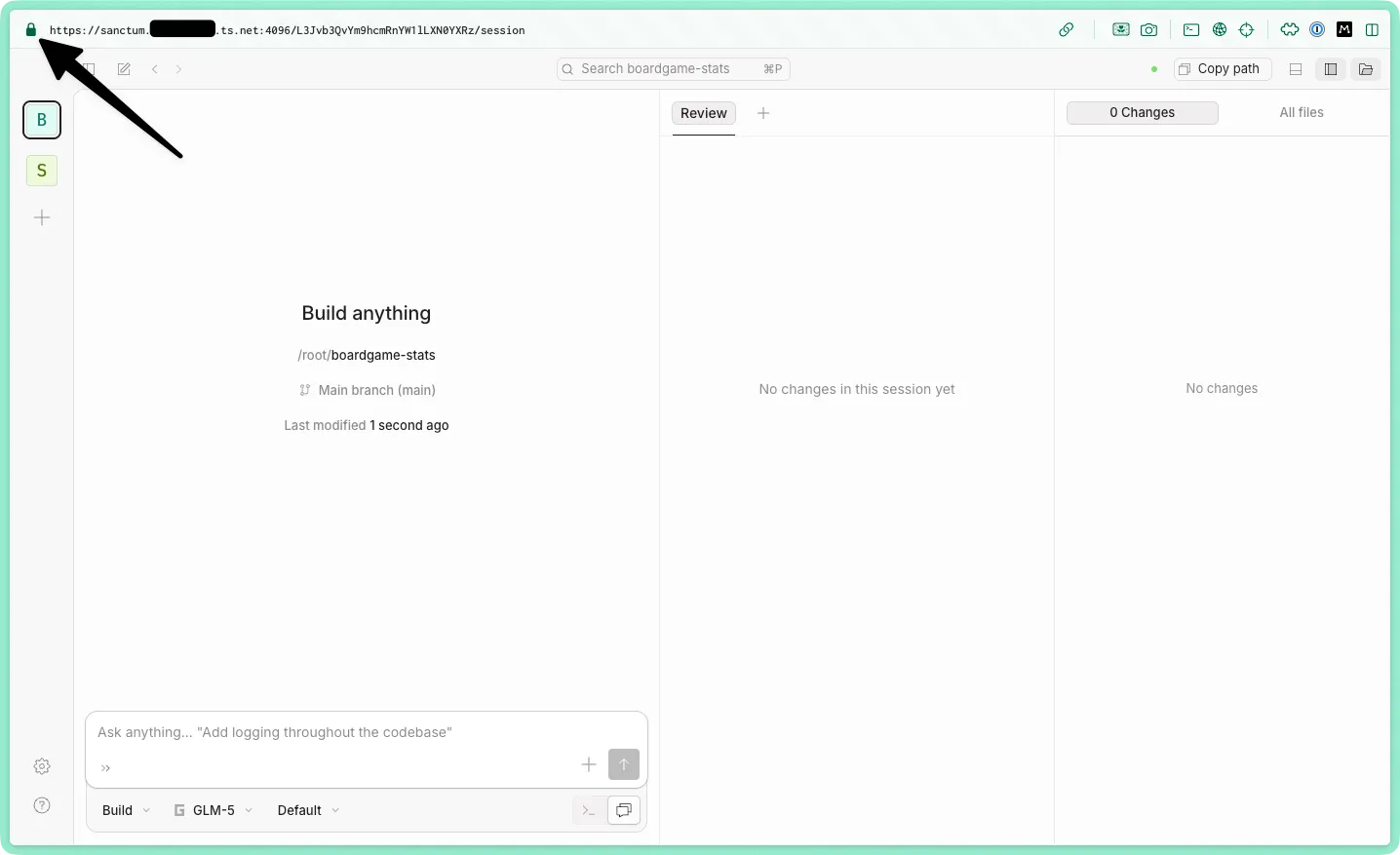
It also handles HTTPS. Tailscale can issue TLS certificates for tailnet devices, giving the server a real *.ts.net domain with a valid cert. I have a small helper in my .zshrc:
serve() { tailscale serve --bg --https ${1} http://localhost:${1}}serve 4096 puts OpenCode’s web UI at myservername.my-tailnet.ts.net:4096 over HTTPS, reachable from any device on my tailnet. No nginx, no manual cert management, no port forwarding.
Accessing It Everywhere
The OpenCode config sets hostname: "0.0.0.0" and mdns: true. Combined with Tailscale, the web UI is reachable from any device on my tailnet.
On my server, I run tmux, run opencode web to get it going, and then detach the tmux session so it runs in the background with ctrl+b d. With my Tailscale setup, it’s now available to other devices on the tailnet.
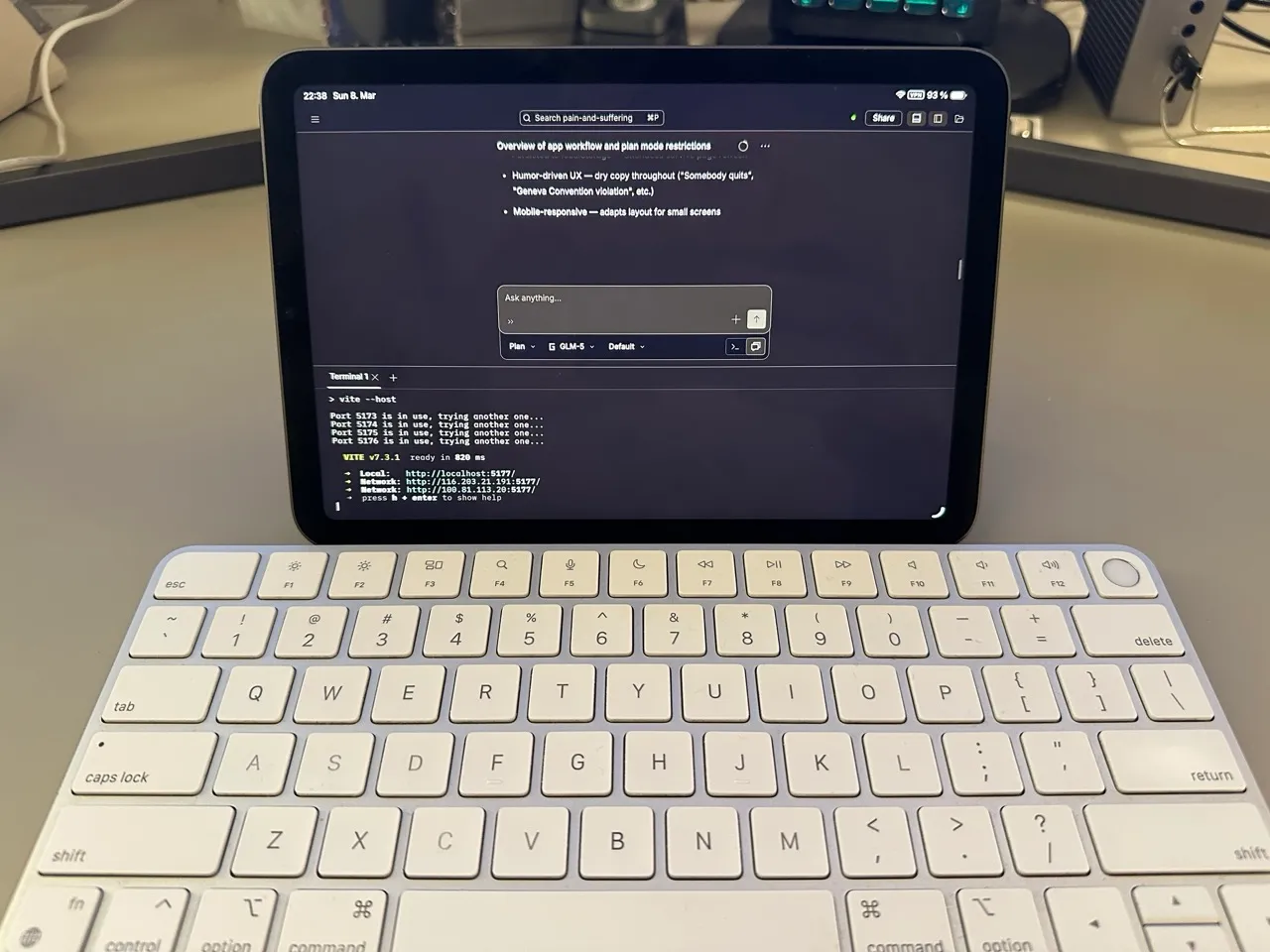
From my Mac I usually use the Hyper terminal. From iPad or phone, I hit the web UI. OpenCode’s web interface includes a full terminal, so it’s not a stripped-down experience. Start something on the Mac, pick it up on the iPad, or just let the server finish and review later. If I absolutely need to, I use the Echo SSH client on iOS.
MCP configuration is also centralized here. The opencode.json lives on the server. Enable a server once and it’s available from everywhere, without configuring it on each device separately.
What This Setup Isn’t For
This is purely a coding setup. I also use Claude heavily for writing, research, planning, and anything involving ongoing projects, but that runs through Claude’s desktop app and its Cowork feature, not OpenCode.
The reason to keep them separate is Projects. Claude’s chat interface has good persistent context management: notes, documents, prior conversations, all accumulated per project, and additional MCP servers to Obsidian for my second brain work and built-in skills to work with common document types. I also like its iOS app. OpenCode, on the other hand, is stateless by design. Open it, do the task, close it. Each is the right tool for its own job.